To use the EZSite Sharing Hub functions, all sites must be on the same NAMI EasySite server, aka the 'new theme.'
EZSite Sharing Hub is only accessible by Site Administrators. If you want to use Send to Many Publishing, you must have Administrator access to all sites you want to publish content on and reach out to support@namieasysite.com so we can enable this for you.
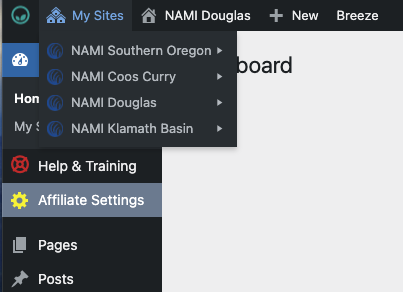
To go back and forth between the sites in your State or Group, look for the My Sites menu in the upper left corner of your backend admin area. In the screenshot below, the user has access to four different websites. If you don't have access to a website you wish to share content with, reach out to an administrator of that site for permission, or contact support@namieasysite.com to find out who the administrator is.
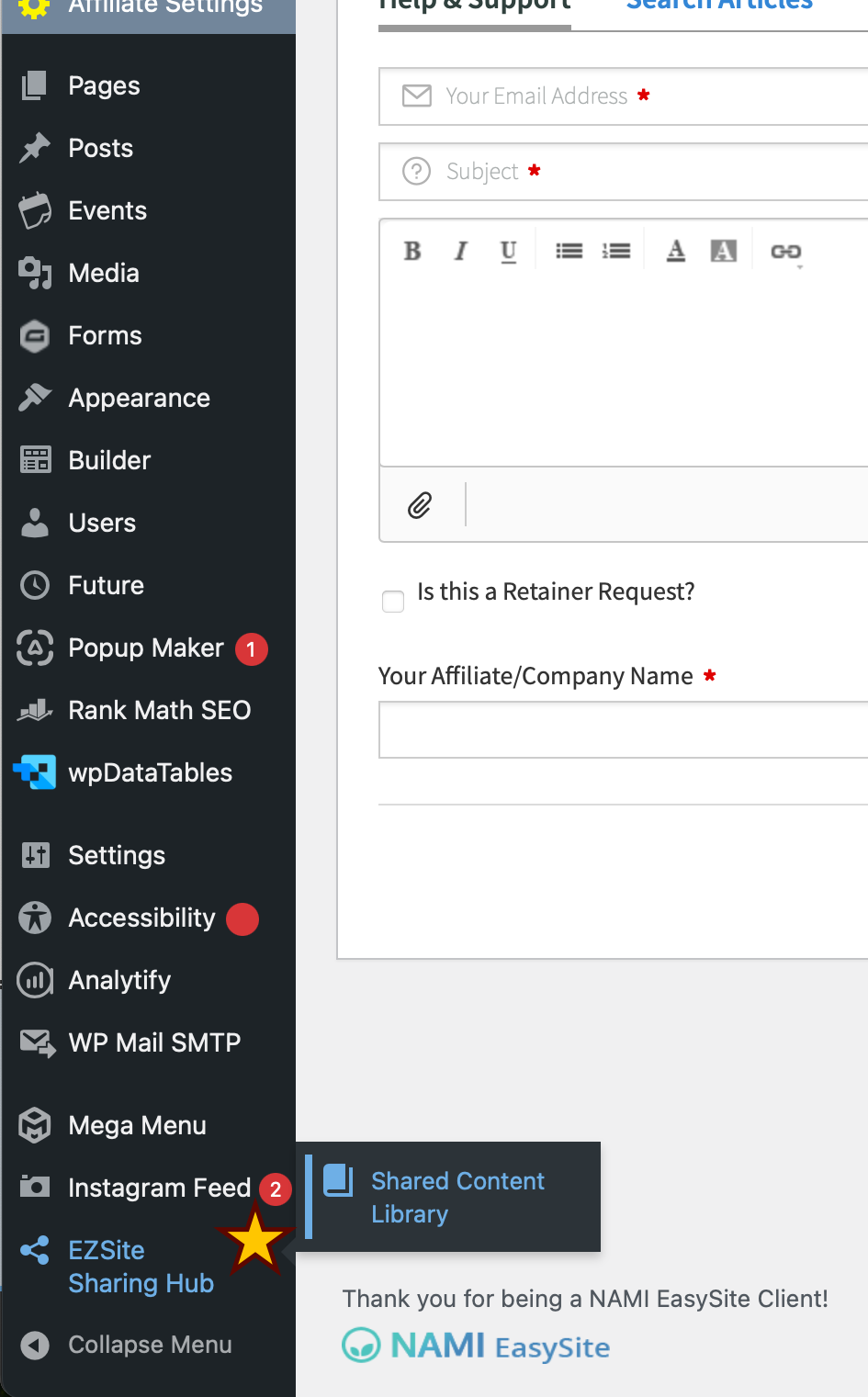
You access EZSite Sharing Hub functions in various locations in the backend of your website. If Big Tomato has created special functions for you, you might see a Broadcast menu option.
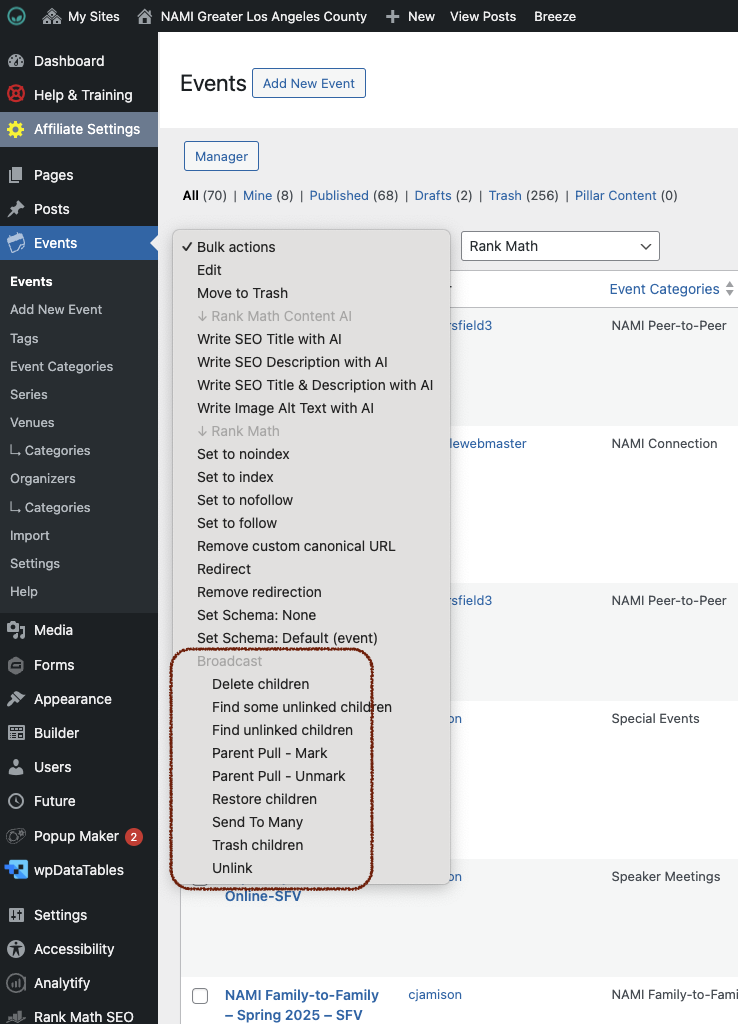
Different types of content may have different action options:

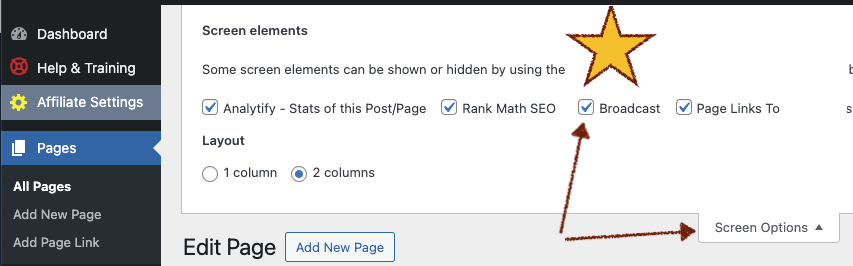
If you don't see the bulk actions for content, go to Screen Options, and check of the Broadcast box.
Was this article helpful?
That’s Great!
Thank you for your feedback
Sorry! We couldn't be helpful
Thank you for your feedback
Feedback sent
We appreciate your effort and will try to fix the article